Introducing Groups: Bridging RTO Mandates with Collaboration Culture

Return-to-office policies work best when they support genuine collaboration instead of just attendance. Mapiq latests feature Groups helps balance organizational requirements with the human side of work, by making it easy to align office days with the colleagues you need to see and would like to catch up with.
From RTO Mandate to Meaningful Moments.
Rather than everyone showing up on random days to fulfill a mandate quota, Groups makes purposeful planning effortless. See when your project team is in. Coordinate with your mentor. Rally the department for all-hands week.
Groups puts coordination power directly in employees' hands. Unlike Active Directory-based group overview alternatives managed by IT, anyone can create groups that reflect how work (and in-person connection) actually happens.
Create a group for your immediate team, sure. But also create one for your Friday lunch crew, your project squad, the office runners, or colleagues working on that cross-departmental initiative. Groups adapts to your work life, not the other way around.
The Power of Groups: Seamlessly Synchronize Office Days
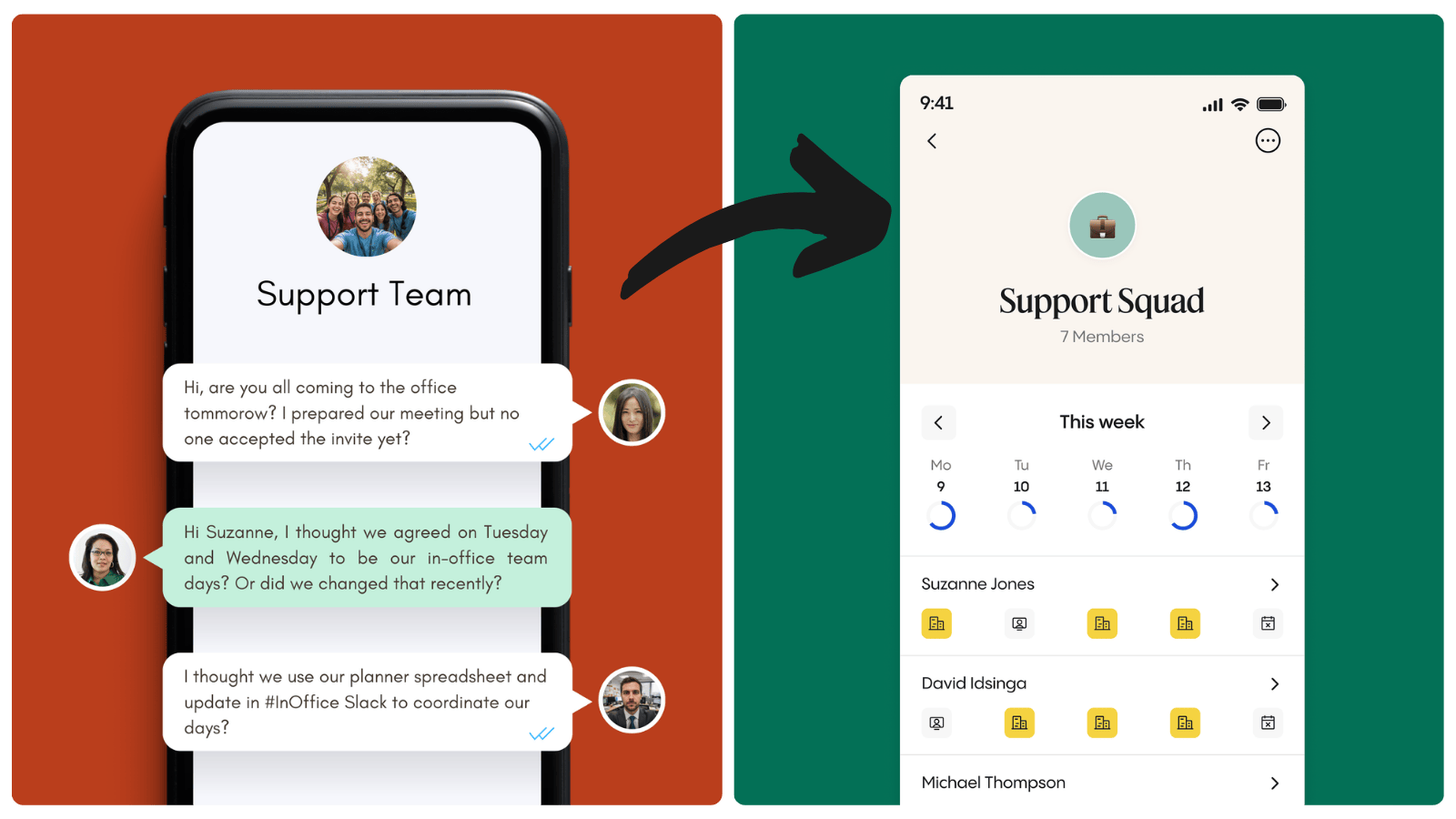
Without Groups:
- Endless Slack threads: "Who's in Tuesday?"
- Calendar tetris checking everyone's individual bookings
- Spreadsheet sign-ups that immediately go stale
- IT-managed distribution lists of teams in Outlook that never quite fit
- Group chats cluttered with coordination logistics
With Groups:
- One glance shows your crew's three-week office plan
- Book spaces and resources together with a single tap
- Everyone can create an manage their own groups
- Plans update and get notified in real-time as people make decisions
- Coordination becomes visible and clear
What does this feature enable for employees?
View your group members' office plans at a glance.
See who's booked which days, where they're sitting, and plan your own schedule accordingly. The calendar view shows up to three weeks ahead, making long-term coordination effortless.
Invite your group to join you at the office.
When booking a workspace or meeting room, simply select a group to automatically invite all members. Groups appear alongside individual connections in your booking flow, eliminating the repetitive task of adding teammates one by one. Or worse, maintaining that outdated spreadsheet.
Create and manage the groups you want, yourself.
Every group member has admin capabilities, allowing anyone to update group details, add new members, or manage invitations. No tickets to IT, no waiting for permissions or being limited to groups from an Active Directory that don’t match reality anymore. Just create the group you need, when you need it.
Synchronize office days from the tools you already use.
Groups works seamlessly across web and mobile. They work in Mapiq’s standalone app, but also natively in Microsoft Teams and Outlook. Check your team's schedule in the tools you already use before leaving for the office, then quickly reference it on mobile when choosing where to sit.
See How It Works
From your Home screen, you'll see all your groups showing how many members have office days planned. Tap any group to dive into detailed schedules, complete with floor locations and booking information.
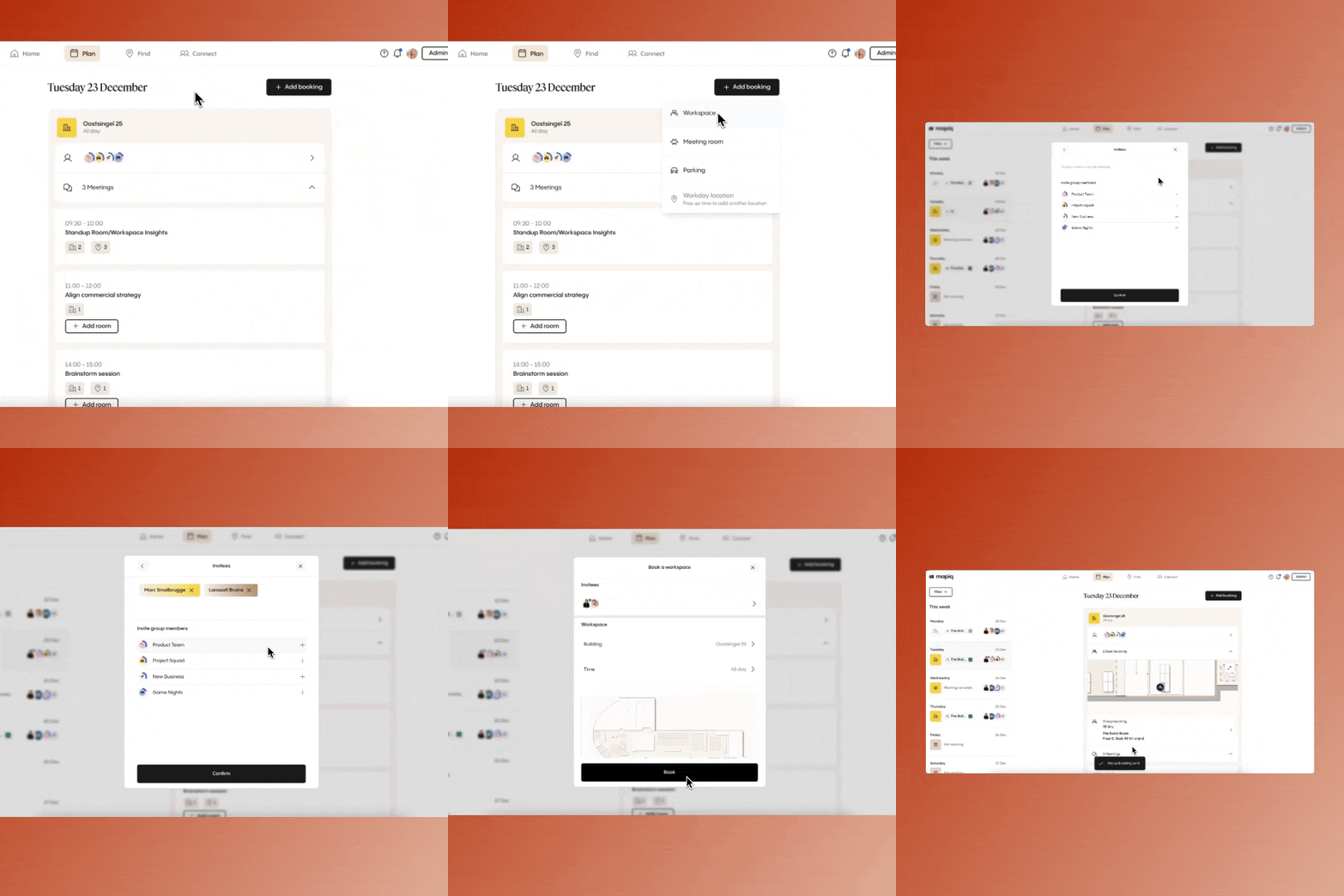
The Plan Tab is the action centre, here you can see both individuals as team that will come into the office on the same day as you. And you’r able to directly invite whole groups for a collective day at work.
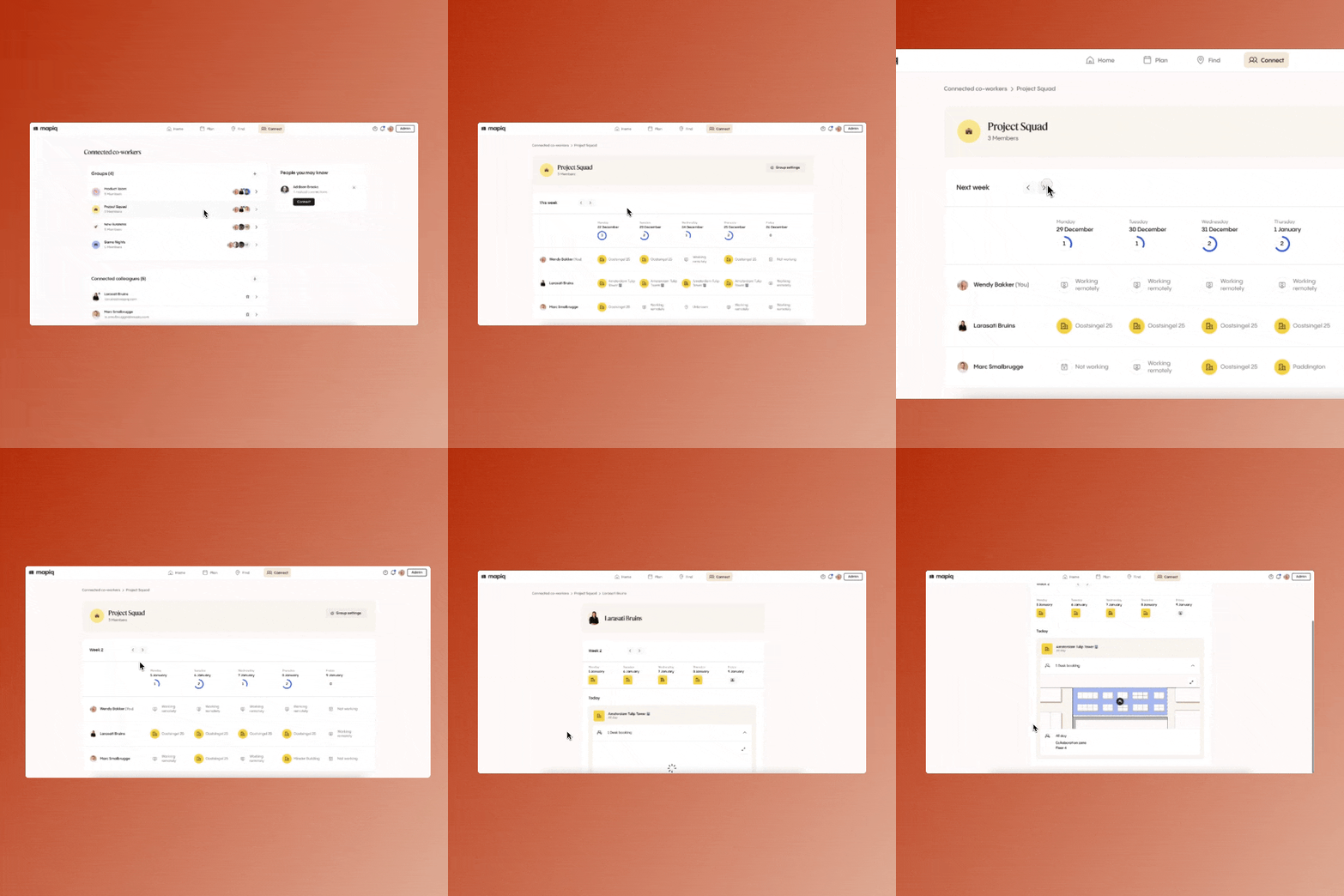
The Connect tab provides the comprehensive view: scroll through multiple weeks of your team's plans, toggle between weekday-only and full-week views, and access group settings for quick adjustments. This is also the place to be to quickly create (or leave) a new group.
Real Teams, Real Groups
We quietly introduced Groups early this month and noticed early users are already getting creative:
- Product teams syncing sprint planning weeks
- Mentorship pairs coordinating check-ins
- Department "anchor days" for face-time
- Cross-functional project squads
- Social groups (runners, lunch clubs, game nights)
- Onboarding cohorts staying connected
Synchronized office days, smooth RTO, better collaboration.
With Groups you have a powerful new feature to make your RTO policy a succes. It’s now easier than ever for employees to plan days at the office with their team. Whether they’re coordinating with their immediate team, organizing cross-functional collaborations, or rallying gym buddies for Friday workouts, Groups streamlines the endless process of office planning and resource booking.
Groups is now active for all Mapiq subscriptions with Employee Experience activated.