
Why Modern Wayfinding Is the Missing Piece of a Better Workplace Experience

In modern offices, it’s often employees, not workplace managers, who feel the navigation burden first. Restacks, shifting teams, and dynamic seating mean people spend time hunting for the right room, desk, or colleague instead of getting to work. However, there is a great solution for workplace wayfinding optimization to remove that friction so employees can move confidently and focus on their day.
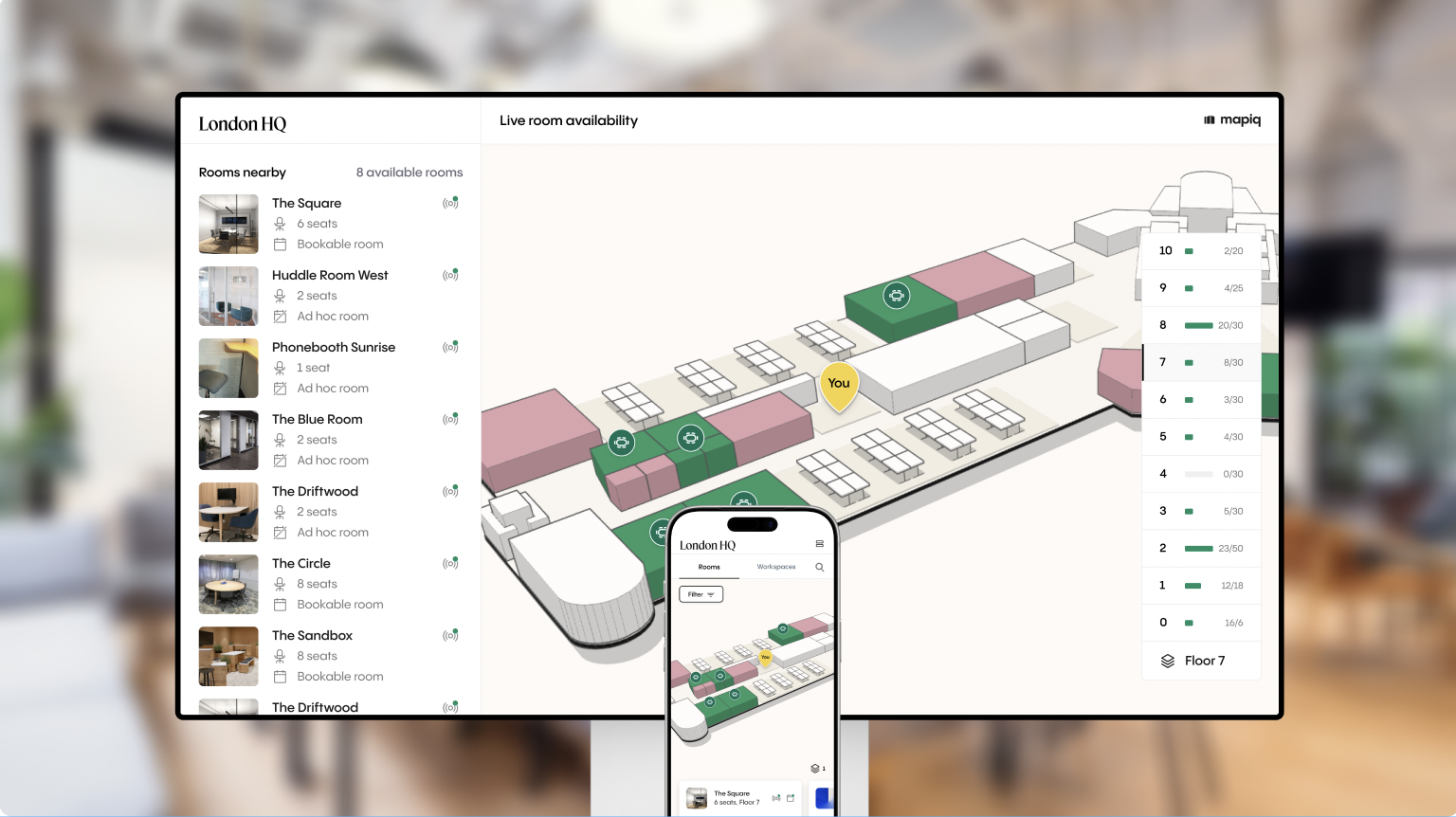
Hybrid work, flexible seating, and constantly evolving layouts have made offices more dynamic—but also more confusing for the people using them, an unwanted consequence of workplace flexibility. Employees waste minutes every day, adding up to hours each week, searching for what they need. New hires feel disoriented. Visitors depend on detailed instructions from the front desk to navigate the building. Even long-time employees report feeling lost after restacks or floor updates.
Wayfinding may not be the flashiest part of workplace strategy, but it is one of the most felt. Digital wayfinding helps employees move through their day with confidence and clarity. That experience sets the tone for everything else that happens at the office, and often decides whether office days feel energizing or exhausting.
Redefining Wayfinding for the Modern Office
Traditional wayfinding was built around static signs and printed floor plans. Today’s workplaces change too quickly for that. Hybrid schedules, meeting room constraints, and shifting occupancy patterns mean that every day looks a little different.
Modern wayfinding bridges that gap by combining interactive 3D maps, mobile navigation, and smart search tools that help employees instantly locate:
- Colleagues based on their workspace bookings
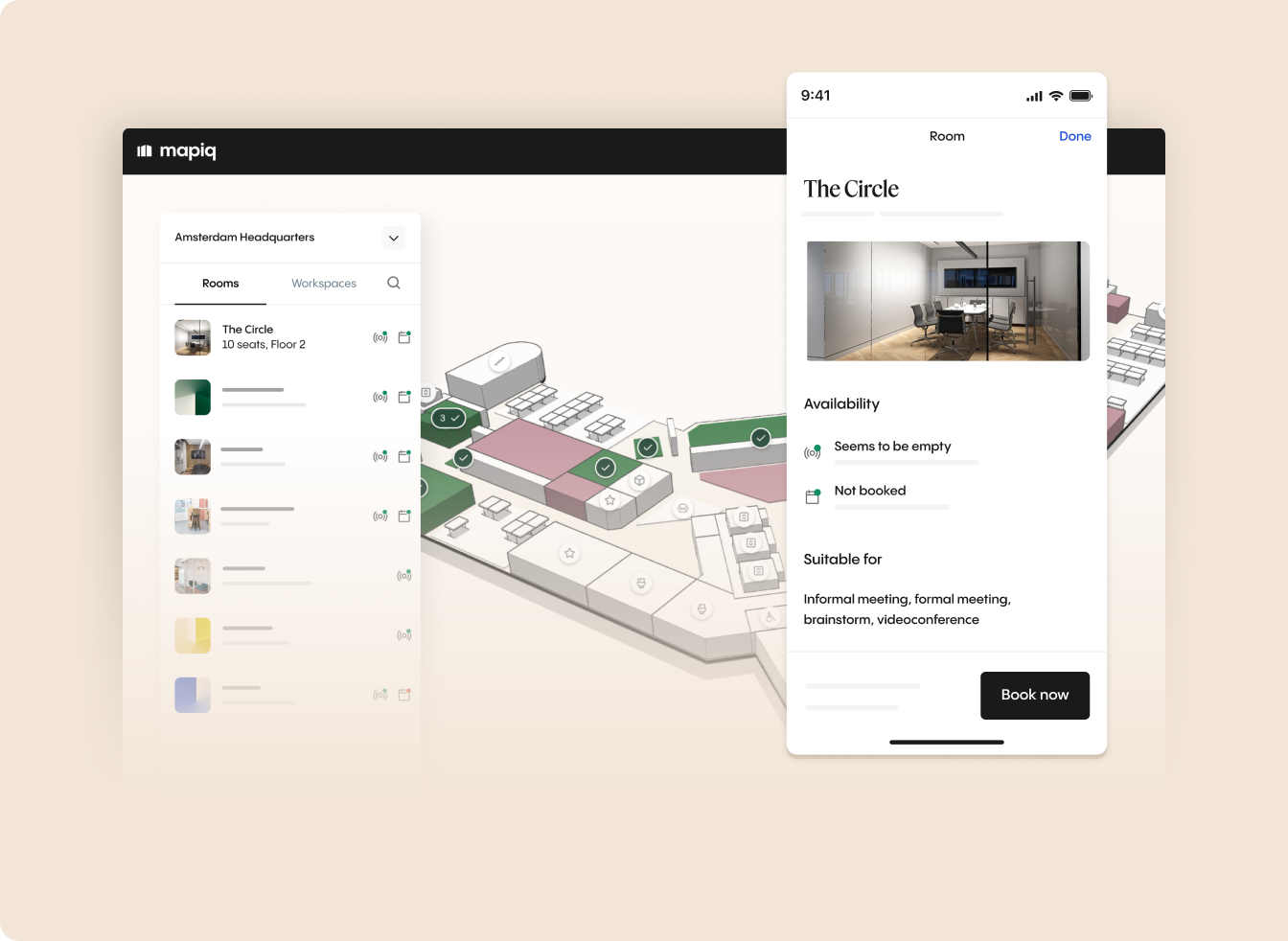
- Available rooms and desks in real time, based on reservations and sensor data synced to the map
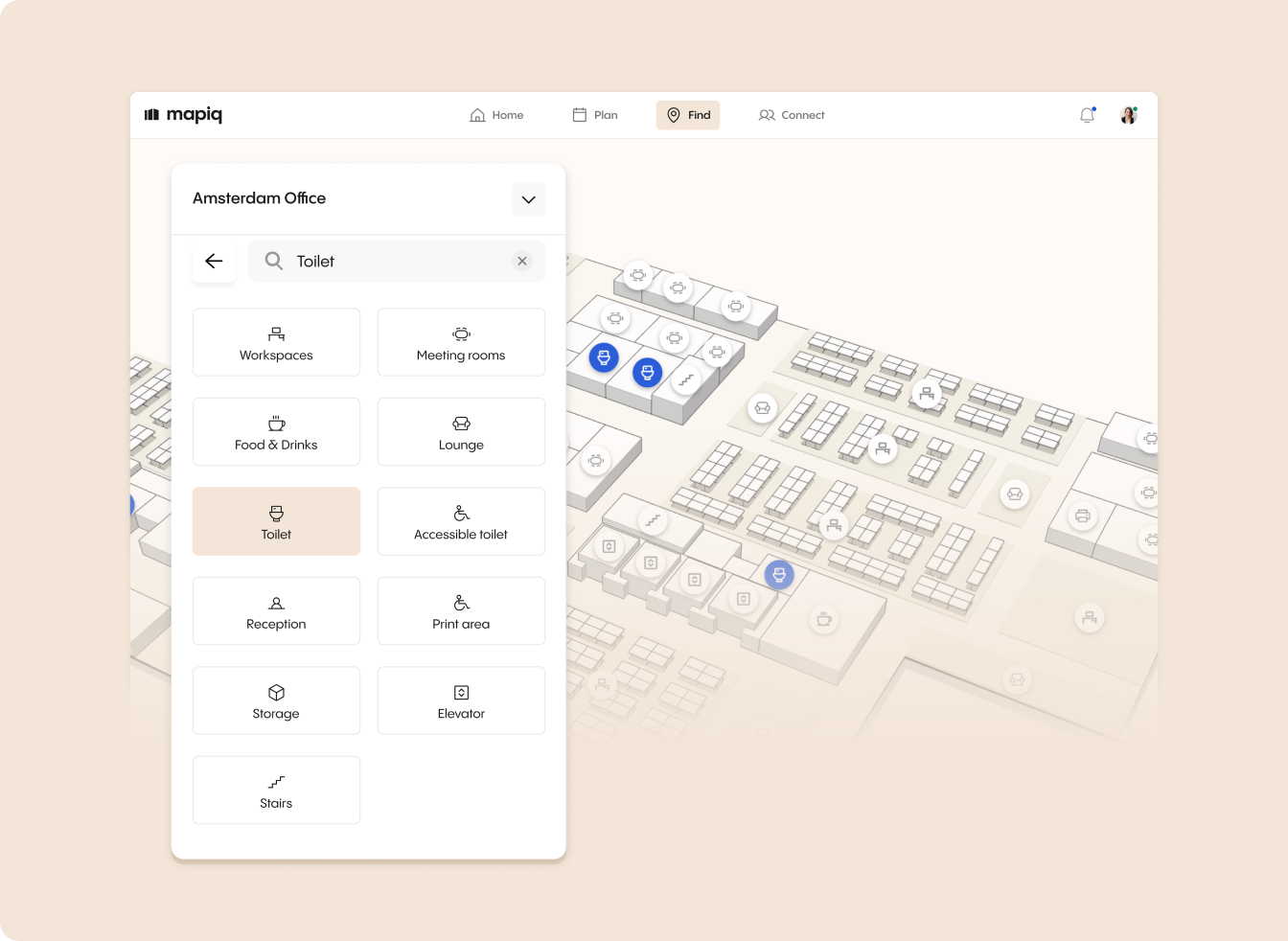
- Points of interest like focus areas, printers, phone booths, and amenities
- Resources on other floors in the building
Mapiq's wayfinding experience is purpose-built for dynamic environments. Clear, accessible maps are available wherever employees need them: mobile devices, web browsers, digital displays, and kiosks. In today's age of the workplace, where offices are constantly evolving—teams restack, floors reorganize, and layouts shift to meet changing needs. To keep pace with this reality, workplace teams can use the self-serve map editor to make changes once. Upon publishing, updates sync automatically across all wayfinding touchpoints—no manual, one-off edits required. Meanwhile, real-time booking data and sensor signals keep space availability accurate and up to date, ensuring navigation stays reliable even as the workplace transforms around it.
Why UX Is the Core of Effective Wayfinding
Most organizations assume wayfinding is only about maps, signage, or clever technology. However, the real differentiator is user experience.
When someone opens a wayfinding tool, they have one goal - to find what they need as fast and as easily as possible.
A strong UX does exactly that. A weak UX forces the user to think, guess, or click through layers of confusing information. This is where many wayfinding systems fall short: the map may look impressive, but the journey to the answer is unclear.
What Makes UX the Deciding Factor in Wayfinding Success
1. Instant clarity
A user should understand where they are and where to go at a glance. No clutter, no visual noise, just intuitive guidance.
2. Minimal steps to reach the answer
Whether the user is looking for a desk, a room, or a colleague, the tool should take them there in as few actions as possible.
3. Real-time accuracy people can trust
If a desk shows as available but is not, the system loses credibility. UX is only as strong as the data behind it.
4. Designed for on‑the‑go navigation
Employees often search while walking or between tasks. UX must support fast decisions, not leisurely exploration.
5. Consistency across displays, kiosks, and mobile
If each touchpoint behaves differently, employees lose confidence and stop relying on the system.
Why Mapiq Focuses on Wayfinding UX
Mapiq’s approach to UX is grounded in a simple idea: Every element in Mapiq’s wayfinding experience is built to help users reach that decision quickly:
- A clean, intuitive UX that reduces cognitive load
- Smart search that finds the right spaces instantly
- A 3D map that simplifies complex floor layouts
- Clear pathways and recognizable points of interest
- Consistent UX patterns across mobile, web, and kiosks
- Real-time availability of rooms and desks integrated directly into the navigation flow
Together, these elements help employees move without friction and give workplace leaders a tool people actually use. Most wayfinding solutions compete on features. Mapiq competes on experience.
The Employee Experience Payoff
Wayfinding gives employees a sense of orientation the moment they walk in. By helping them quickly understand what the space offers and how to use it, the workplace becomes a destination where people can do focused work, connect with colleagues, and make office days feel worth the commute.
That’s why the navigation with Mapiq feels natural, fast, and reassuring, even as workplaces evolve and layouts change:
Less Friction
Few things derail a workday more quickly than searching for a room that has been moved or realizing the “free desk” you planned to use is already taken. Wayfinding reduces that frustration by providing clarity from the moment people walk in.
More Confident Onboarding
New hires often cite navigation as one of the most overwhelming parts of starting a job. With a clear map and simple search tools, they can find meeting rooms, teammates, and amenities on their own, speeding up onboarding and reducing pressure on office teams.
Reduced Cognitive Load
Employees do not have to memorize the layout or keep track of constant changes. Wayfinding works quietly in the background, guiding people to what they need at the right moment.
A Workplace That Feels Welcoming
When employees feel confident moving through the office, the office becomes a place they enjoy spending time.
How Mapiq Delivers a Better Navigation Experience
Mapiq’s wayfinding tools support the entire workplace journey through:
- Interactive maps that bring the office layout to life
- Digital displays and lobby screens to guide traffic in high-visibility areas
- Mobile navigation for on-the-go clarity
- Real-time updates whenever a room changes or a floor is reorganized
- Custom points of interest based on what matters to each organization.
- Support for multi-floor and multi-building campuses
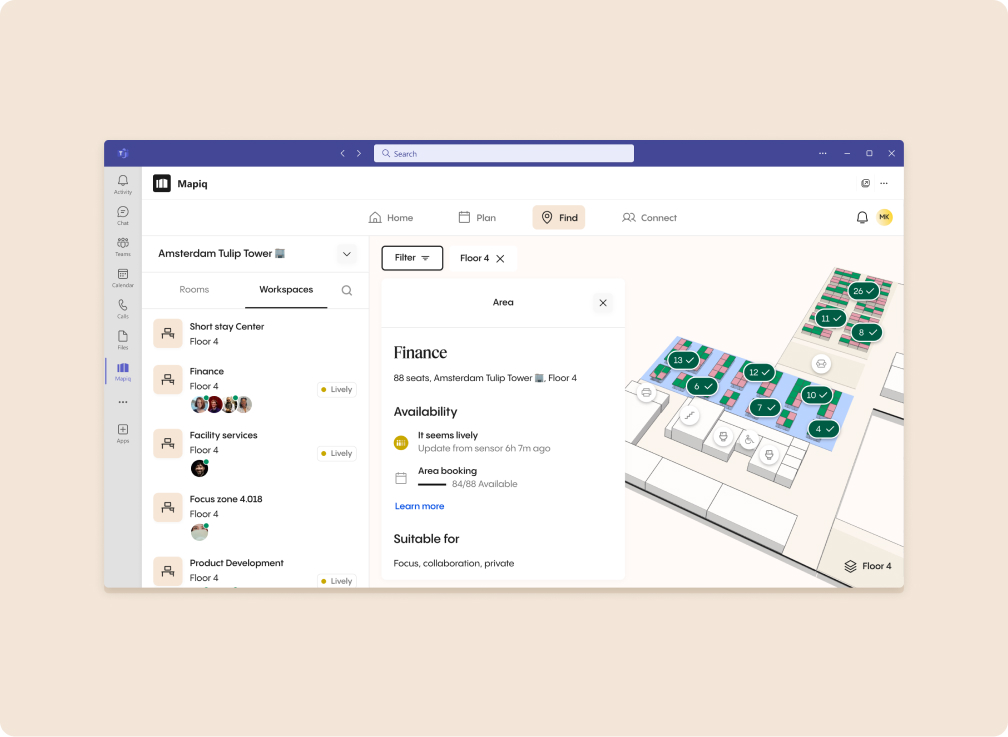
- Our app in Microsoft Teams and Outlook store to navigate from where you work
- Dynamic visibility into available spaces — desks, rooms, or collaboration zones
Together, these capabilities create a workplace where people feel informed, supported, and connected.
From Finding the Room to Shaping the Day
When employees can move confidently through the office, they start the day with orientation instead of confusion. They find what they need faster. They collaborate more easily. They feel grounded, even in spaces that evolve constantly.
In an era where workplace experience influences talent, culture, and performance, modern wayfinding is more than a nice-to-have. It is part of how organizations turn their offices into places where people actually want to be.


